
The walkthrough
Watch one order go all the way through
A real job, from the customer's request to delivered, in under three minutes. Then read through each screen below.
- Under 3 minutes
- Real screens
- No Odoo, no clutter
Step by step
Nine screens, one simple flow
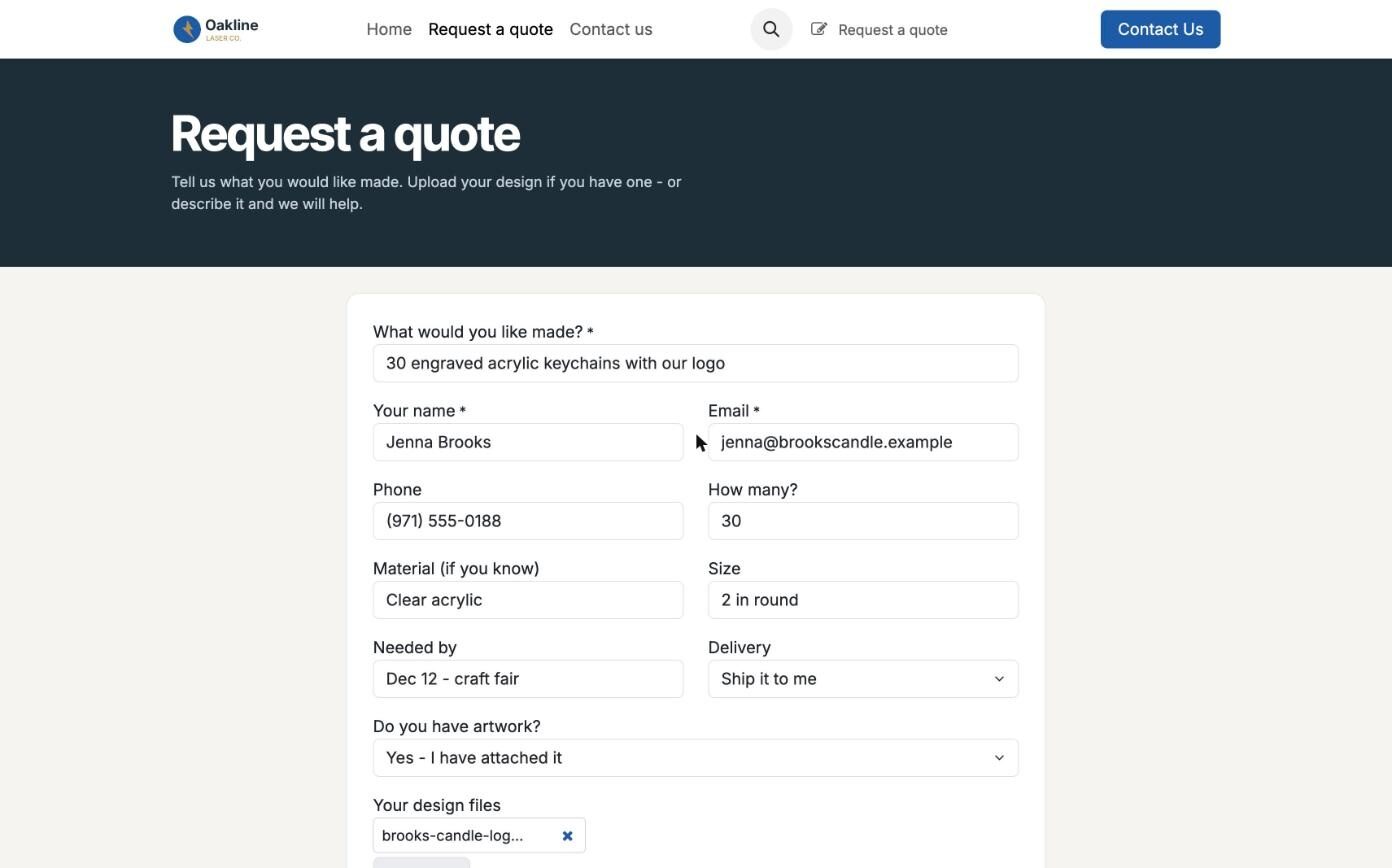
The customer sends a request
Your website form asks for everything you need up front: what they want, how many, the material, the size, when they need it and their design file. It lands in JobCut Pro as a new job.
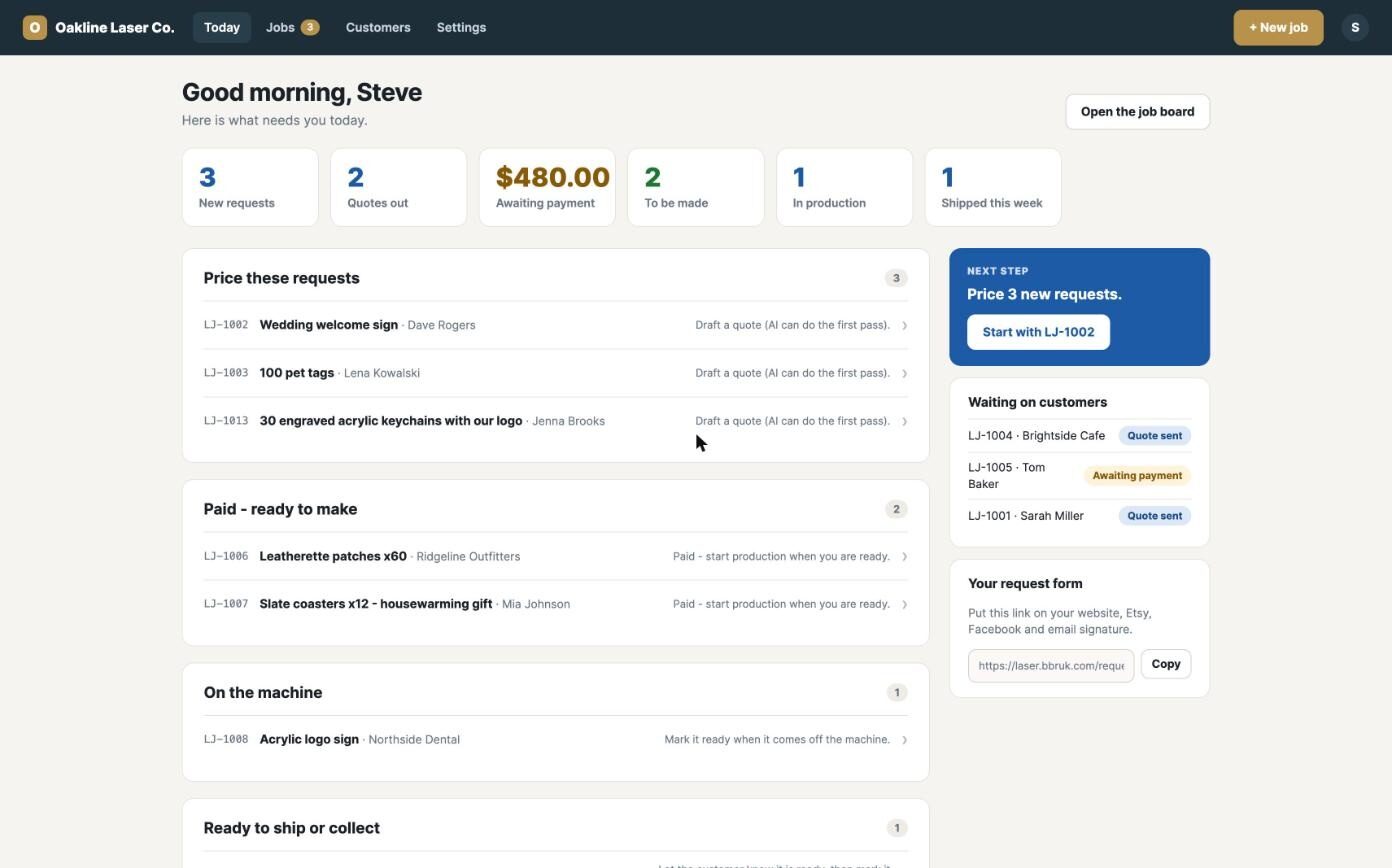
You log in to Today
Today is your home screen. Across the top: new requests, quotes out, money waiting to come in and jobs to make. Below, everything that needs you, grouped by what to do next, plus the single most useful next step.
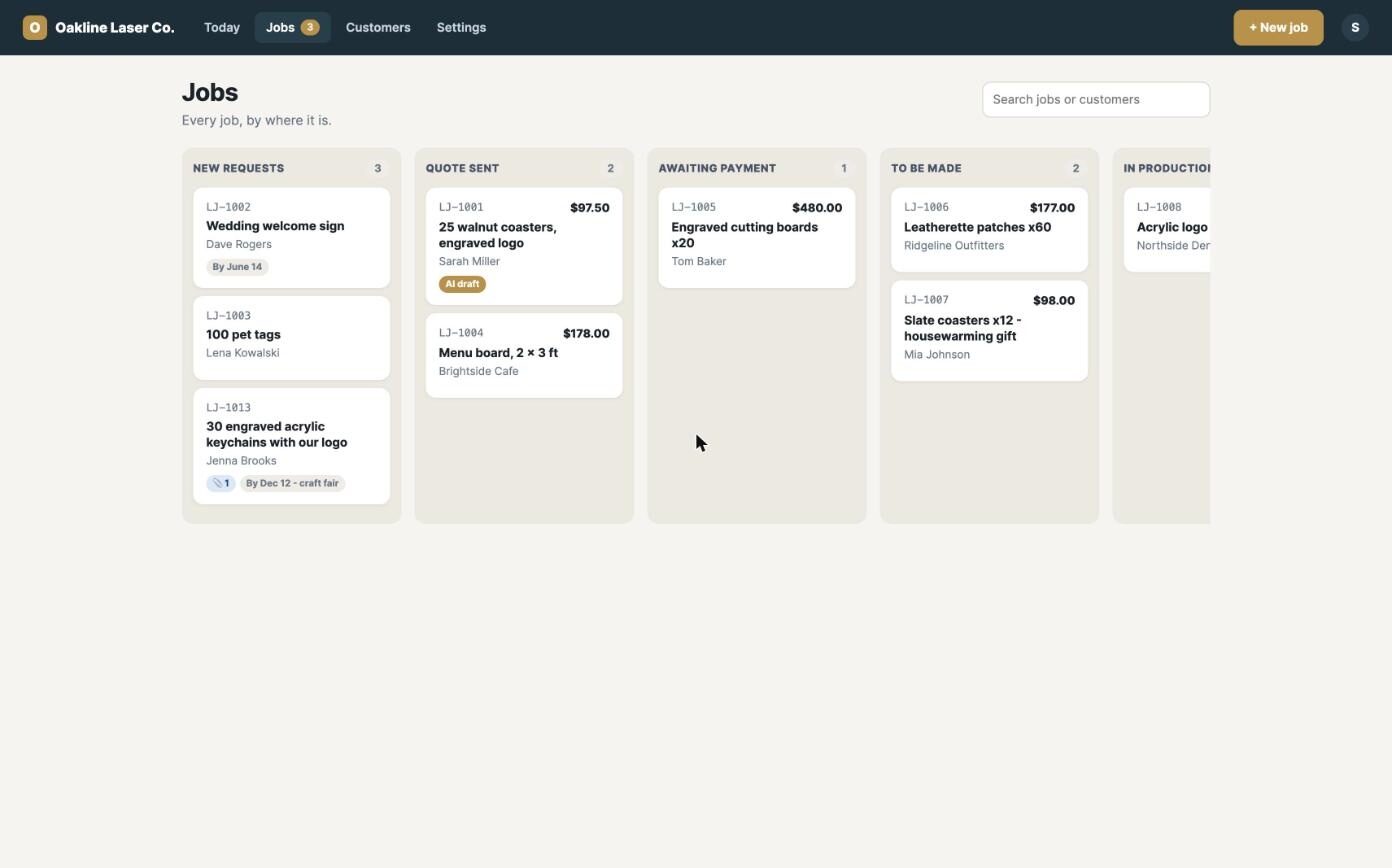
Every job on one board
The Jobs board shows each job by where it is: new requests, quotes sent, awaiting payment, to be made and shipped. On your phone, the stages stack neatly one under another.
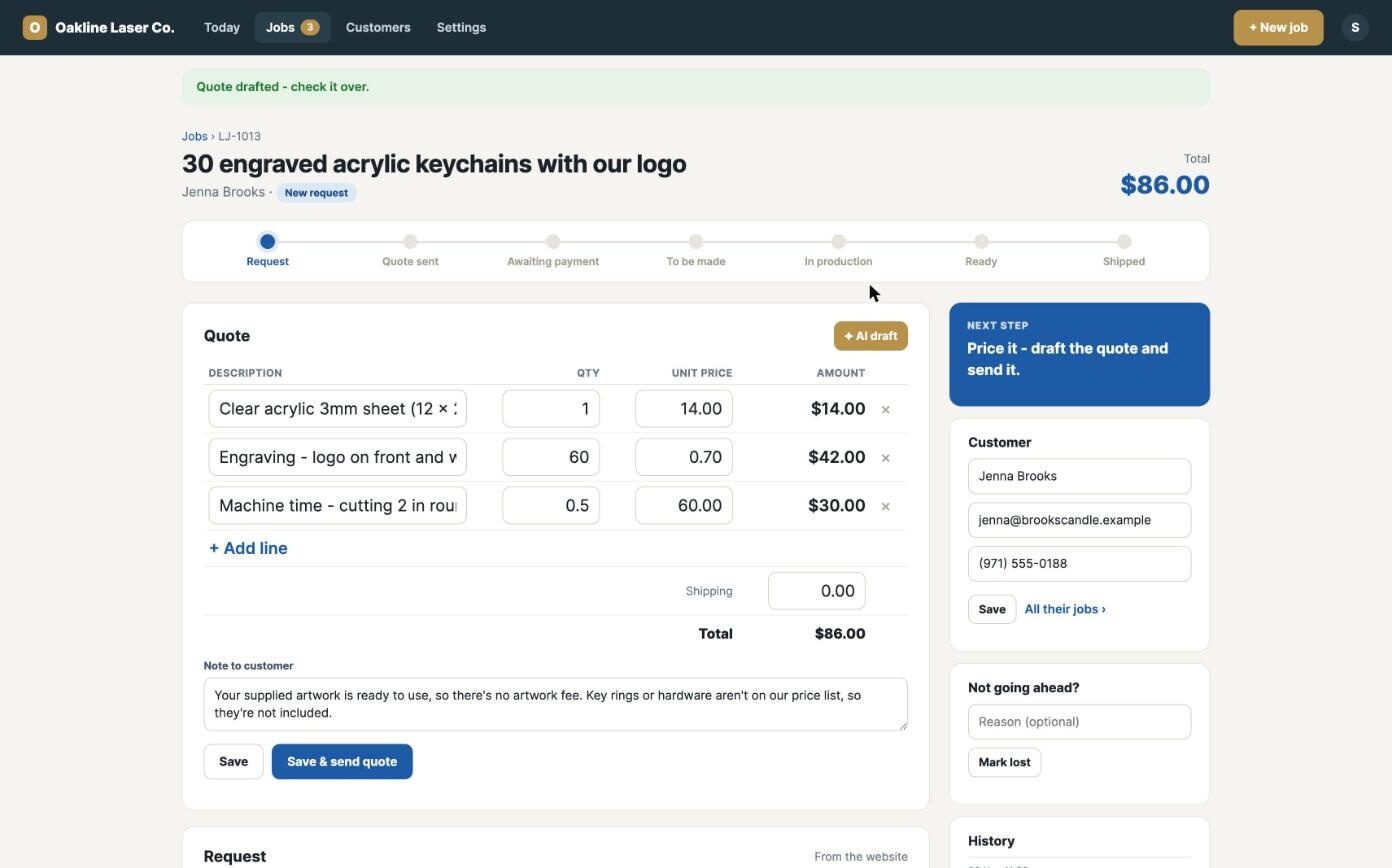
The AI drafts the quote
As soon as a request arrives, the AI prices it from your own price list. Open the job, check the lines, add anything it missed, preview exactly what the customer will see, then send.
The customer accepts
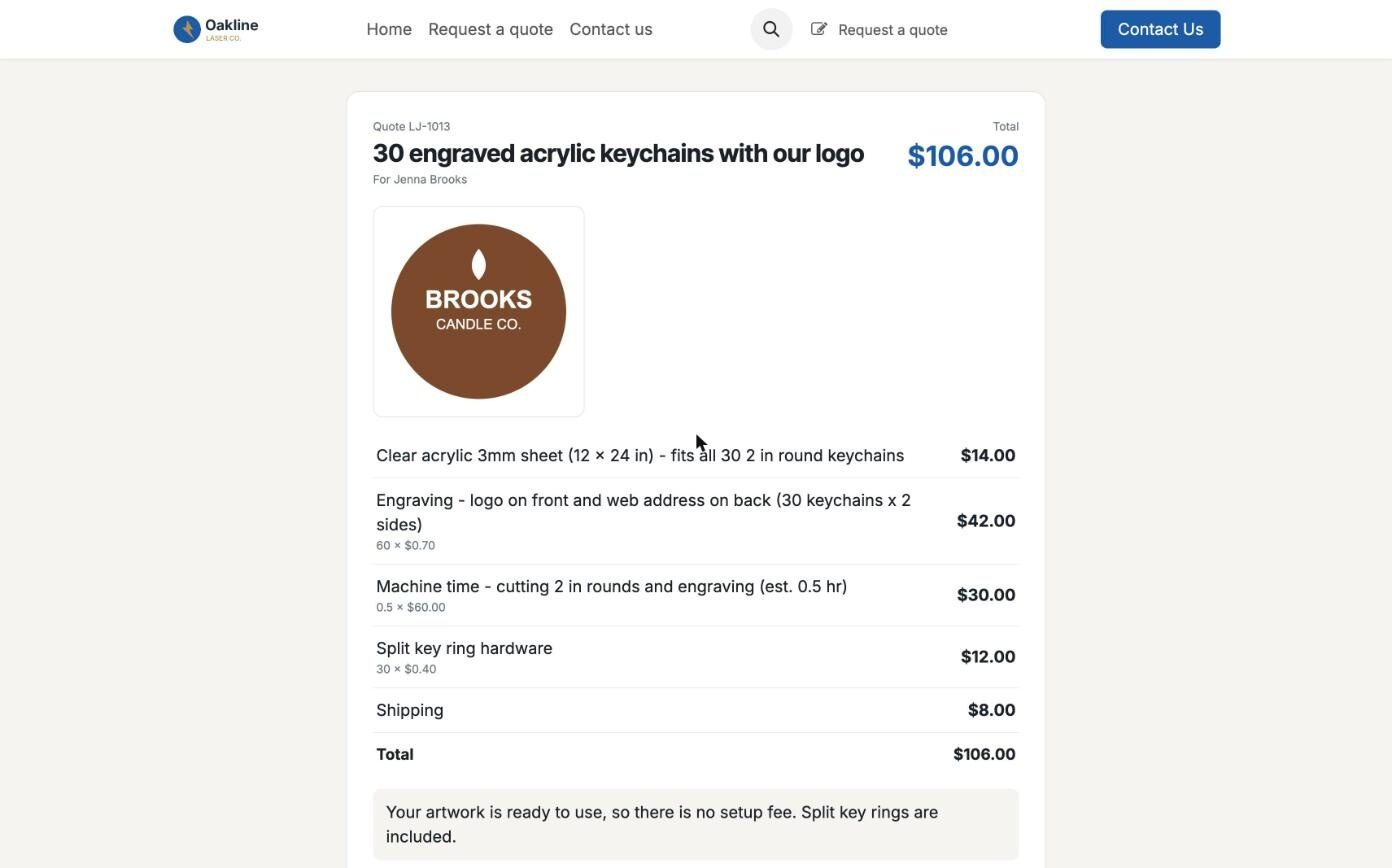
They get their own quote page with their design, every line priced and a mock-up if you made one. They enter their delivery address and click Accept quote and pay.
They pay by card
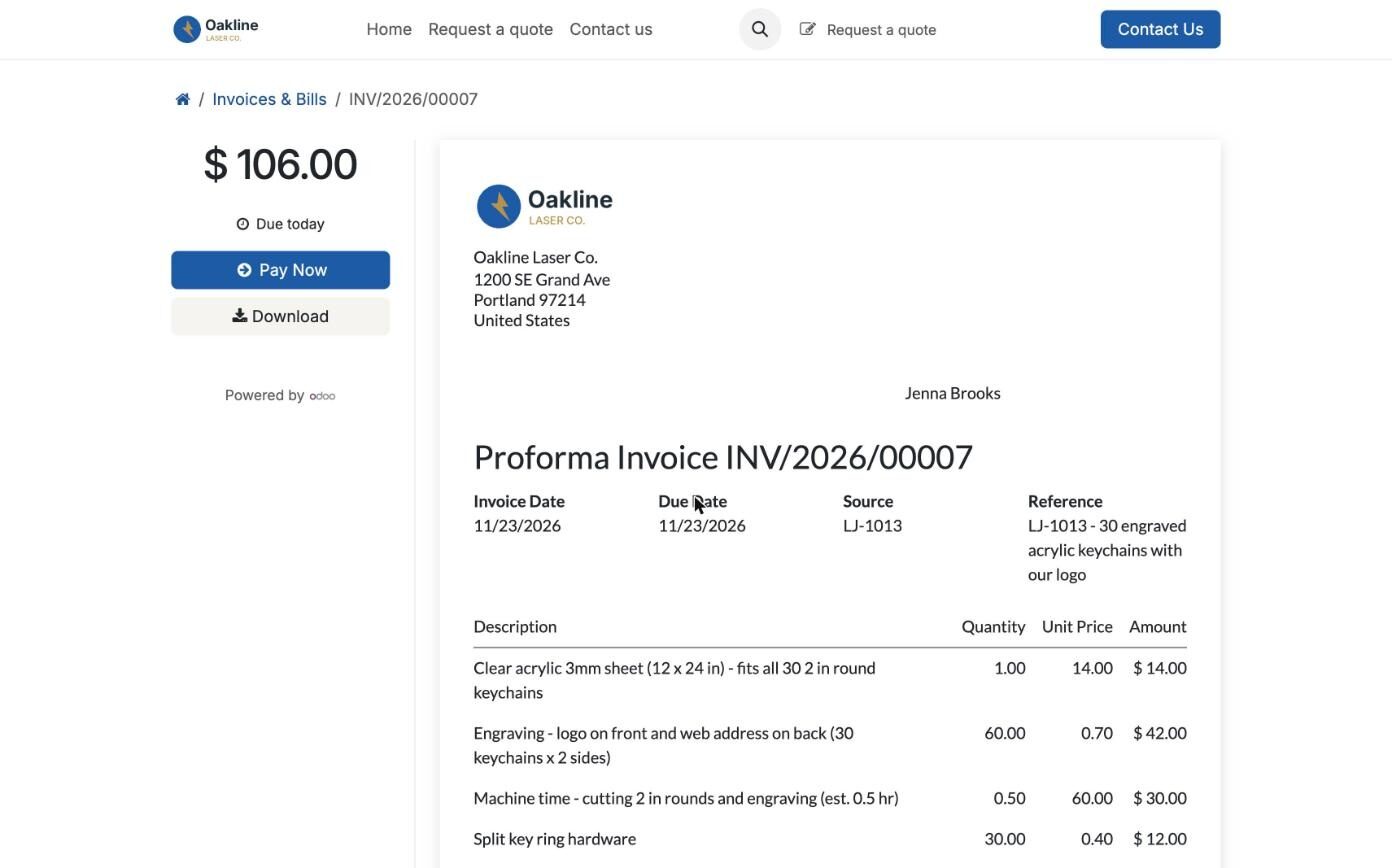
An invoice is created automatically and they pay on the spot through your Stripe account. The money goes straight to you, and the job moves itself to To be made.
Make it, then ship it
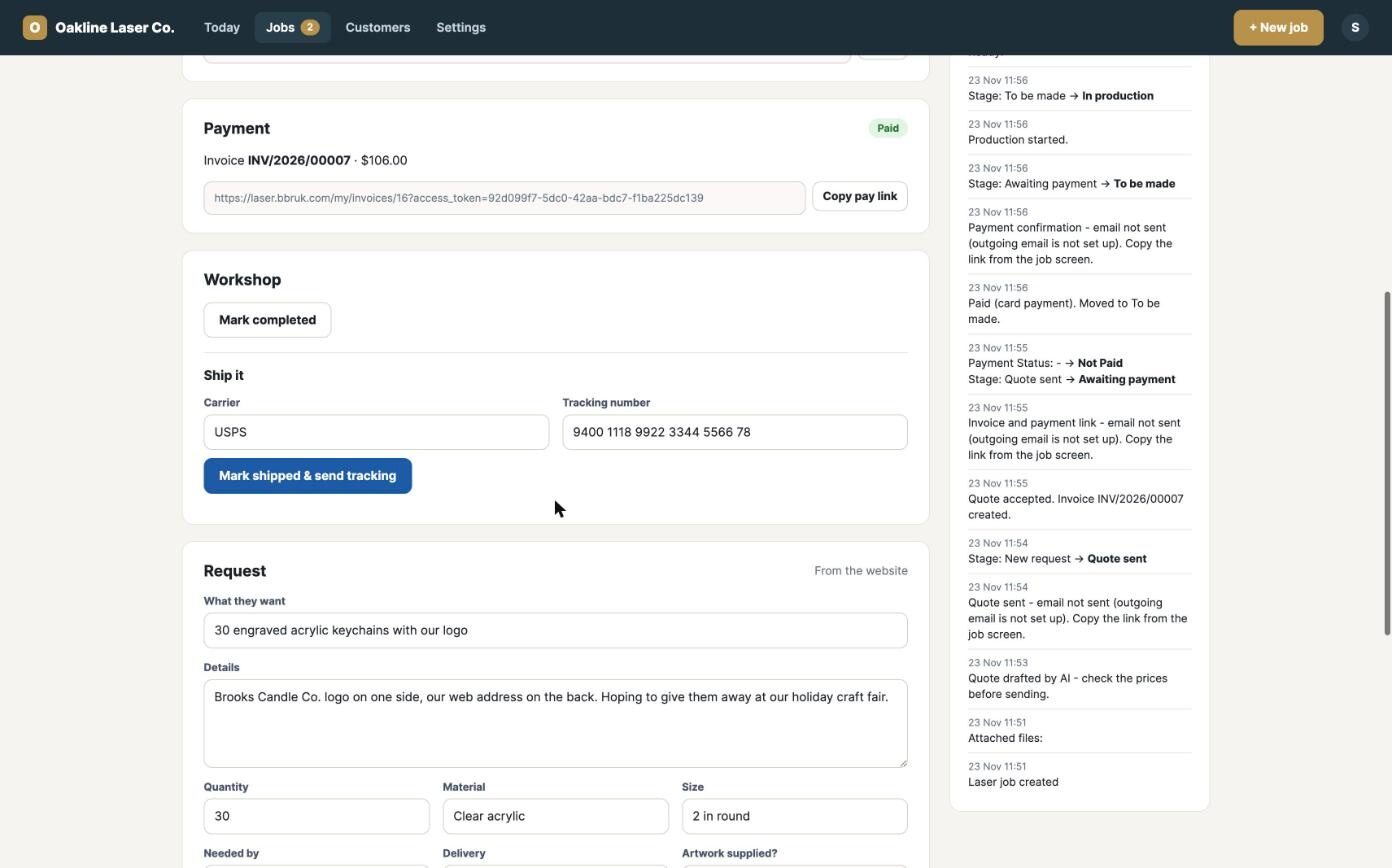
When it comes off the machine, pick a carrier rate and print the label. The tracking number goes to the customer by itself. Collection jobs are one tap to complete.
The customer can see where it is
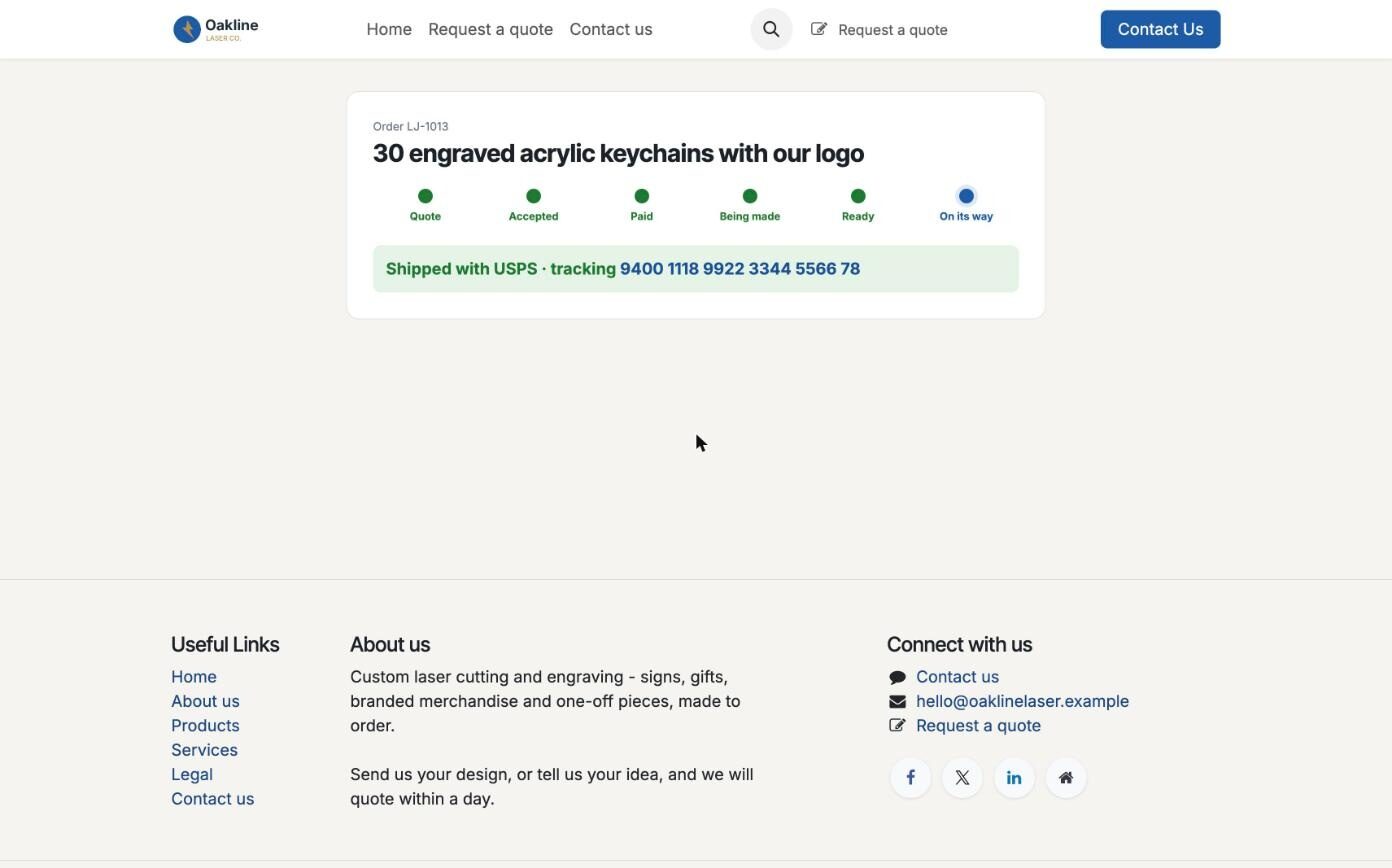
Every customer gets a status page showing exactly where their order is, so you are not answering "is it ready yet?" messages all day.
Your shop, your way
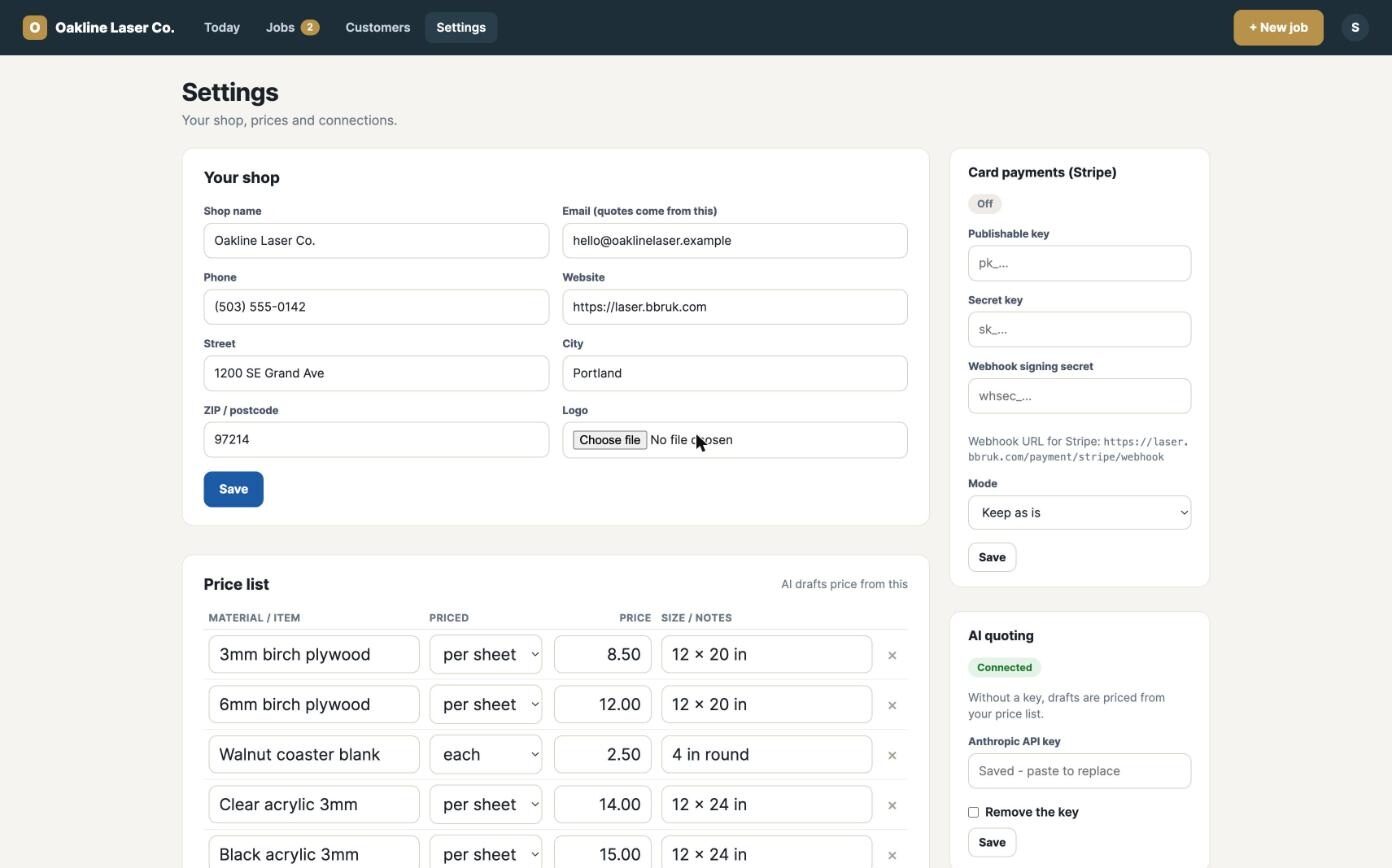
Settings holds your shop details, card payments, AI quoting, your price list, fees and how often reminders go out. A setup checklist shows anything still to fill in.
And when something goes wrong
Remakes without the mess
Wrong spelling? Damaged in the post? One button creates a free remake of the order, linked to the original, straight into To be made, with the same files and lines.
Founding offer
Ready to run your shop this way?
The first 10 shops get the full system for $50 a month for their first year. The next 10 pay $67. Then it is $97 a month.
See it working first
One real order, from the customer's request to delivered, in under three minutes.
Claim your founding spot
- Your own system at yourshop.jobcutpro.com, ready in about a minute
- Sign up in two minutes, add your prices and logo when you are ready
- Website rebuild included
- $99 setup, then from $50 a month for your first year (founding spots left)
Questions first? Email info@jobcutpro.com and Steve or Matt will reply.